
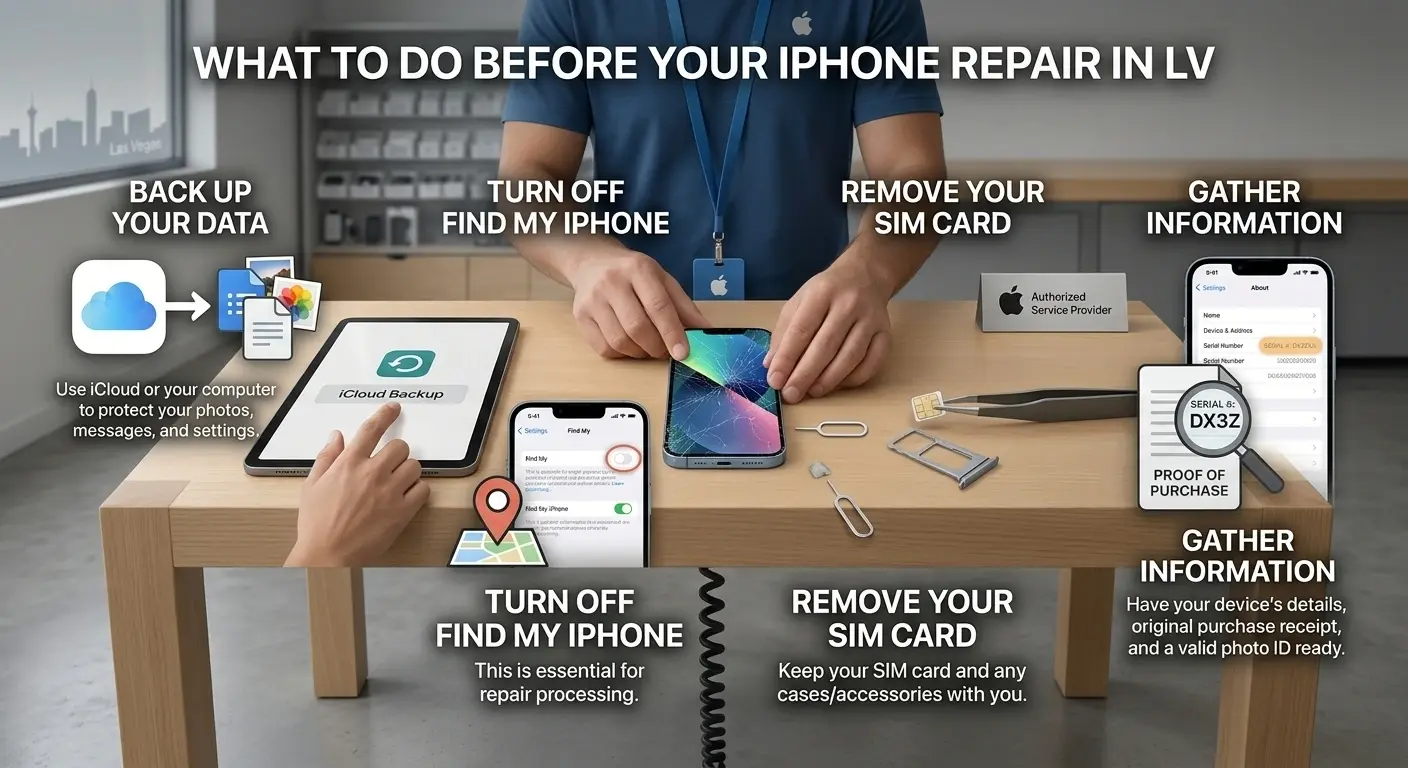
What to Do Before Getting Your iPhone Repaired
An iPhone is more than a device for making calls. It stores personal photographs, messages, contacts, work documents and information used for everyday tasks. When it develops a fault, arranging a repair can help you get back to your routine. However, taking a few steps before handing over your phone can make the process easier and help protect your information.
Whether your iPhone has a damaged screen, a faulty charging port or another problem, preparing in advance is worthwhile. If you are looking for iPhone repair in Las Vegas, this guide explains what to check before visiting a repair shop.
1. Identify the Problem with Your iPhone
Before booking a repair, try to understand what is happening to your device. You do not need to diagnose the fault yourself, but describing the symptoms can help a technician investigate the issue.
For example, note whether the screen responds to touch, whether the battery drains unusually quickly or whether the phone only charges when the cable is positioned in a particular way.
Think about when the problem started. Did the phone stop working after a fall? Was it exposed to liquid? Did the issue appear after a software update?
Write down any warning messages or unusual behaviour you have noticed. These details can help the technician narrow down possible causes.
If the device is overheating severely, has a swollen battery or shows signs of electrical damage, stop using it and seek professional advice rather than continuing to test it.
2. Back Up Your Important Data
Backing up your information is one of the most useful steps before a repair. Although many repairs do not affect personal data, some procedures may require a device reset or could result in data loss.
You can usually back up an iPhone using iCloud or a compatible computer.
To check your iCloud backup, open Settings, select your Apple Account, then iCloud and iCloud Backup. The exact menu names may vary by iOS version. Follow the instructions to create a backup if your account has sufficient storage.
You can also use a Mac or a compatible Windows computer to create a local backup, depending on your software setup.
Check that the backup has completed successfully. If you have important photographs, documents or other files, make sure they are included in your backup or saved separately.
If your iPhone will not turn on, you may not be able to create a new backup. Tell the repair provider that preserving your existing data is important before authorising any work.
3. Protect Your Personal Information
Your phone may contain private messages, saved passwords, financial applications and personal photographs. It is sensible to consider privacy before handing it to anyone for repair.
Ask the repair provider whether they need the device unlocked and why. A hardware repair may not require access to your personal accounts or messages.
Never share your Apple Account password, email password or banking credentials with a technician. If a particular repair requires access to a feature or settings menu, ask for an explanation and follow the provider’s recommended process.
For eligible iPhones, Apple provides a Repair State feature on supported software versions and models. Check Apple’s current guidance to see whether it is suitable for your device and repair.
If you are concerned about sensitive information, discuss your options before leaving your phone at the shop.
4. Check Your iPhone Model and Warranty
Knowing your iPhone model can make it easier to discuss the repair. Different models use different screens, batteries and internal components, so parts are not always interchangeable.
You can usually find the model information under Settings, then General and About. If the phone cannot turn on, the original packaging or purchase information may help you identify it.
Check whether your device is still covered by Apple’s limited warranty, AppleCare or another protection plan. Accidental damage is not generally covered by Apple’s standard limited warranty, although coverage depends on your plan and circumstances.
You may also want to check whether an insurance policy or retailer protection plan applies. Understanding your coverage before paying for a repair can help you compare your options.
5. Remove Accessories and Prepare the Device
Before visiting the repair shop, remove your phone case and any accessories that could make inspection difficult. If you use a screen protector, ask whether it needs to be removed before the repair.
Keep your charging cable or other accessories available if they are relevant to the problem. For example, if the phone does not charge, the technician may need to know which cable and adapter you have tested.
Do not attempt to remove a damaged screen or open the phone yourself. Modern smartphones contain delicate components, and an unsuitable repair attempt may cause further damage.
If your phone has been exposed to liquid, tell the technician what happened. Do not connect it to a charger simply to see whether it still works.
6. Ask the Right Questions Before Approving a Repair
Before agreeing to any work, make sure you understand the proposed repair and its cost.
Ask the provider to explain the suspected fault, the repair options and whether replacement parts are available. Request an estimate and check whether the quoted price includes labour and any applicable fees.
It is also worth asking how long the repair is expected to take and whether a warranty is provided for the completed work.
If your phone contains important data, ask whether the repair could affect it. A trustworthy repair provider should explain the risks and avoid promising that every fault can be fixed.
Clear communication can help prevent unexpected costs and make it easier to decide whether repair is the right option.
7. Choose a Repair Service That Suits Your Needs
When searching for iPhone repair in Las Vegas, do not base your decision on price alone. Consider the provider’s experience, the parts available for your model, the estimated turnaround time and the terms of any repair warranty.
Read recent customer feedback and ask questions if something about the service is unclear. It is also helpful to confirm that the provider handles your particular model and type of damage.
IFixLV offers device repair services in Las Vegas. Visit the official website at iFixLV to explore its services and enquire about your iPhone problem before arranging a repair.
Final Thoughts
Preparing your iPhone before a repair can save time and help protect your information. Identify the symptoms, back up your data where possible, check your coverage and ask about costs before approving any work.
Not every fault requires the same solution, so a proper assessment is important. By taking these precautions and choosing a repair provider carefully, you can make a more informed decision about getting your iPhone working again.